Free firmware for the M-VAVE FM-1

A 12-bit sampling drum machine in your hands.

32 pads at 26.04 kHz, pitched the old way: no interpolation, the aliasing is the sound. Eight channels with their filters, eleven loops on the black keys, songs, step editing, swing, and the reverb and delay of sloopDX. Install it from the browser; going back is one click.

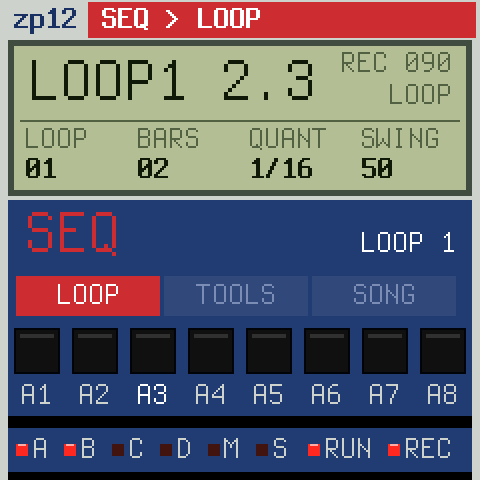
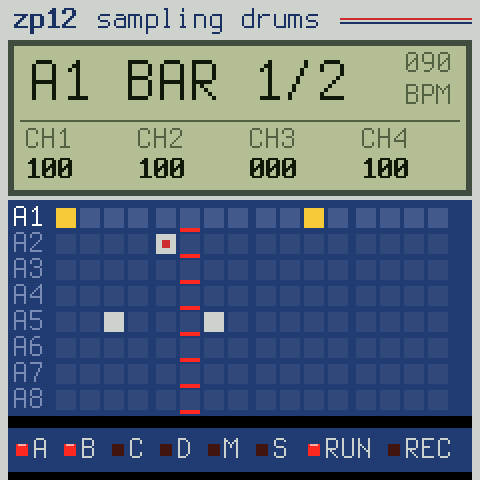
The zp12 screen on the FM-1: recording loop 1
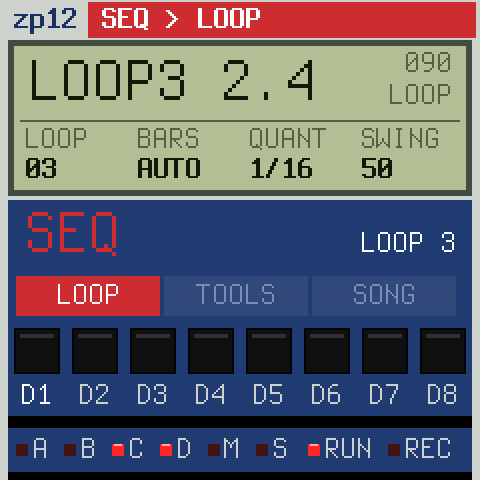
Recording: LOOP1 2.3, the knobs' columns below
12bit, packed, no codec
26.0kHz (or 27.5)
32pads in 4 banks
11loops on the black keys
8channels, filtered

Highlights

The crunch

12-bit samples at 26.04 kHz, pitched by their playback rate with nothing smoothed: tuned up they skip, down they repeat. TUNE in semitones and cents, 45 → 33 for the grain.

Eight channels

Every pad plays on a channel, one sound at a time: a new hit cuts the last. Channels 1–2 have a resonant 4-pole low-pass that follows the decay, 3–6 a fixed one, 7–8 none.

Faders on the knobs

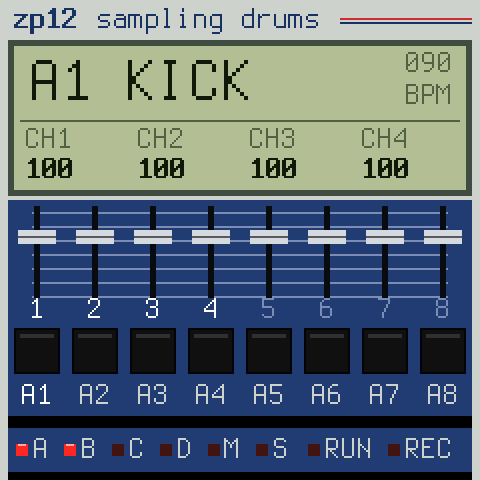
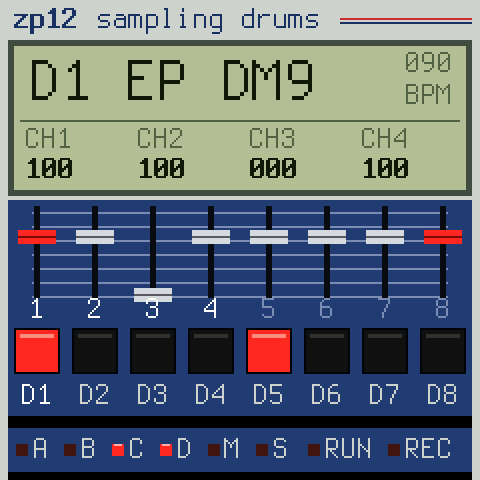
KNOB 1–4 are the channel faders, SEL held for 5–8. The LCD's four columns always say what the knobs do now; a page lets go of them by itself.

Eleven loops

The black keys are loops: stopped they switch at once, playing they wait for the end of the loop. Each its own length, 1–32 bars, or AUTO from your first take.

Record and step

Real time with a count-in and AUTO CORRECT from 1/8 to 1/32T, overdub, erase while it plays. Hold SEQ: the white keys are the 16 steps of a pad.

Swing in steps

50, 54, 58, 63, 67, 71 %: the classic steps on the 16ths (or the 8ths). Tap tempo on ENV, the click on REC only or always.

Songs

Four songs, each a chain of loops with repeats. The LCD shows where you are: S2.03 L4, song two, step three, loop four.

Reverb and delay

sloopDX's stereo chorus, tempo delay and reverb with pre-delay. Each pad sends to them, and has a drive of its own.

Kept in flash

Sounds, mix, effects, loops and songs save by themselves when you stop, in a room of the flash sloopDX leaves free: your sloopDX banks stay where they are.
The sounds

Bank A and B a full kit, C bank A lower and grainier at 45 → 33 and a grand piano (two funky stabs, Cm9 and F13, and a note to play over all keys), D what a sampler is for: chords and phrases. Put any of the 27 on any pad (hit it, turn PRESETS); your own with the sample editor.

A1KICKA2SNAREA3RIMA4CLAPA5HATA6OHATA7TOM LA8TOM H
B1CRASHB2RIDEB3COWBELLB4TAMBB5SHAKERB6CONGAB7CLAVEB8WOOD
C1KICK 33C2SNARE 33C3RIM 33C4CLAP 33C5HAT 33C6PNO Cm9C7PNO F13C8PIANO
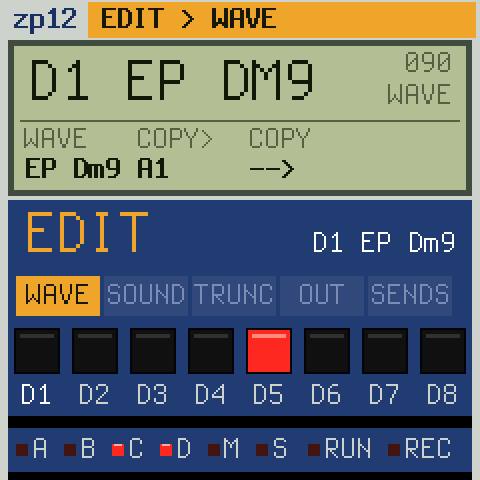
D1EP Dm9D2EP Gm9D3HORNSD4VIBESD5BASSD6SCRATCHD7SPIND8SNAP

All from free sources: VSCO-2 CE, VCSL, Sonic Pi (CC0); the Wurlitzer E-piano by Greg Sullivan (CC BY 3.0). No sound from a commercial record or another company's machine.

Cheat sheet

Every key, button and page on one sheet, in the panel's colours. The PDF (A4) to print and lay next to the FM-1.

zp12sampling drums firmware 1.5 for the M-VAVE FM-1 · zp12.designburgapps.com

The keys

White 1–8pads of bank A (or C)
White 9–16pads of bank B (or D)
OCT+ OCT−banks C + D / back to A + B (the LEDs A–D show which)
black keysloops 1–11: stopped at once; playing: from the end of the loop (its key blinks, the LCD says LOOP 3 NEXT). The loop playing is lit.
ARPMULTI PITCH: the last sound on all 27 keys, F4 (white 8) as tuned. ARP again: pads.
USB MIDInotes 36–67 play pads A1–D8

The factory sounds

A1KICKA2SNAREA3RIMA4CLAPA5HATA6OHATA7TOM LA8TOM H
B1CRASHB2RIDEB3COWBLB4TAMBB5SHAKRB6CONGAB7CLAVEB8WOOD
C1–C5A1–A5bank A lower, 45→33, the filter on ch 1–2C6PNO Cm9C7PNO F13C8PIANO
D1EP Dm9D2EP Gm9D3HORNSD4VIBESD5BASSD6SCRCHD7SPIND8SNAP

Any pad, any of these 27 samples or your own (the sample editor): hit it, turn PRESETS. 12 bit at 26.04 kHz, pitched without interpolation.

Sound

Channelsa pad plays on a channel 1–8 (OUT, CHAN); one sound at a time each: a new hit cuts the last (HAT and OHAT share 3)
1–2a 4-pole resonant low-pass whose cutoff follows the decay (CUT, RESO)
3–6 · 7–8a fixed low-pass · no filter
45 → 33TRUNC, SPEED: played at 33/45 of its rate: lower, grainier

The knobs

A1 KICK       090
CH1  CH2  CH3  CH4
100  100  100  100
KNOB 1–4the faders of channels 1–4; SEL held: 5–8, on any page. The LCD's four columns always say what the knobs do.
A pageEDIT, FX, SEQ, GLO open one; untouched for 6 s, or HOME: the faders again
SELECTtempo
ALGORITHMthe sound to edit (A1 … D8), without playing it
PRESETSthe sample of the pad you hit last: one sample on as many pads as you like, each with its own TUNE, DECAY …
MASTERthe volume

Pages · KNOB 1 · 2 · 3 · 4

EDIT WAVEthe pad's sample · COPY> pad · COPY (turn twice) · –
SOUNDTUNE (semitones) · FINE · DECAY · LEVEL
TRUNCSTART · END · DIR (fwd / rev) · SPEED (45 / 33)
OUTCHAN · PAN · CUT · RESO (CUT / RESO on ch 1–2)
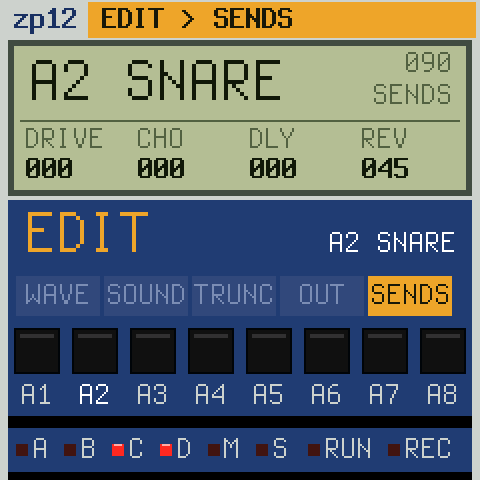
SENDSDRIVE · CHO · DLY · REV: the effects of this pad
FX FILTERDJ filter on the whole mix: left a low-pass, right a high-pass, centre OFF · RESO
CHORUSRATE · DEPTH · MIX
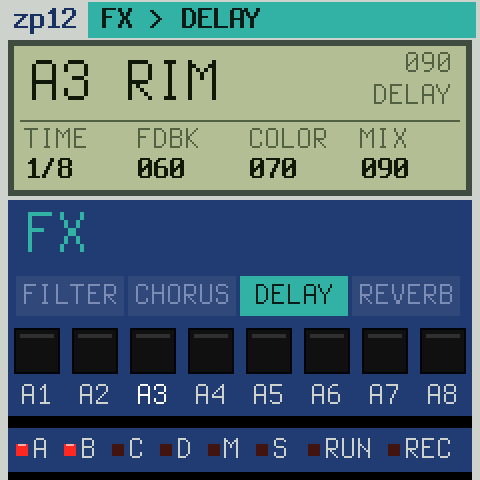
DELAYTIME (1/4 … 16T, in tempo) · FDBK · COLOR · MIX
REVERBSIZE · DAMP · PRE (ms)
SEQ LOOPLOOP · BARS (AUTO, 1–32) · QUANT (AUTO CORRECT) · SWING 50–71 %
LOOP TOOLSCLEAR (turn twice) · COPY> loop · COPY (turn twice)
SONGSTEP · LOOP · REPEAT (0: the song ends here) · SONG OFF / 1–4
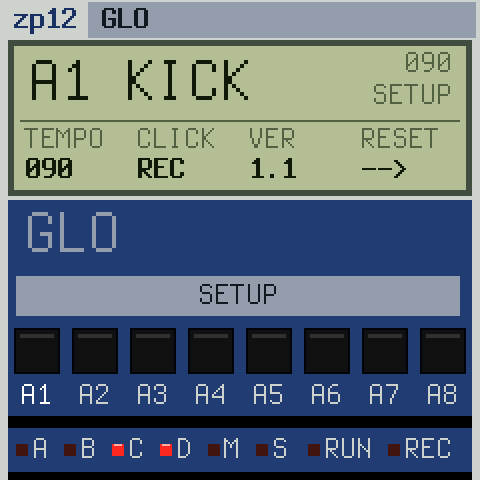
GLO SETUPTEMPO · CLICK (off / rec / on) · VER · RESET (turn twice: the factory state)

Each tap of EDIT, FX or SEQ: the next of its pages. The header says where you are (EDIT > SOUND), the tabs below show the others.

Make a beat

  1. REC (it blinks: armed), PLAY: a bar of count-in.
  2. Play kick and snare. AUTO CORRECT puts them on the grid.
  3. REC again at the end: an empty loop (BARS AUTO) is now as long as your take.
  4. Hats step by step: hit the hat, hold SEQ: the white keys are its 16 steps (lit = a hit), tap to set / clear; OCT+ the next bar.
  5. REC while it plays: overdub more on top; REC again: off.
  6. Turn TUNE, DECAY (EDIT → SOUND) or CUT while recording: the pad's hits keep what you turned (a red dot in the step grid).
  7. A chord: OCT+, white 9 (D1). Melodic: ARP (MULTI PITCH).
  8. Another loop: a black key, record into it. Songs: SEQ → SONG.

Buttons

PLAYrun / stop (lit while it runs)
RECstopped: armed (blinks); playing: overdub on / off; hold 2 s: clear the loop
EDIT + OCT−undo the last clear / erase / copy (again: redo)
LFO + paderase: that pad's hits go as the playhead passes (stopped: all at once)
ENVtap tempo (it blinks on the beat)
SAVEsave now; held + a black key: the loop into that loop; stopped and quiet for 3 s it saves by itself
HOMEthe faders

Effects in 3 steps

  1. Hit the pad (the snare).
  2. EDIT until the LCD says SENDS.
  3. KNOB 4 = REV, KNOB 3 = DLY. Shape them: FX.

Back to sloopDX: its installer. No answer? Hold OCT− while switching on (USB rescue).

zp12: based on SLOOP (isod89) and Felucca (Leo Kuroshita, Hügelton Instruments), GPL-3.0. Sounds: CC0 (VSCO-2 CE, VCSL, Sonic Pi); E-piano by Greg Sullivan (CC BY 3.0). Inspired by the 12-bit samplers of the 80s; their names are trademarks of their owners. Not affiliated with M-VAVE.

Questions

Can I record samples into the FM-1?

No: the FM-1 has no audio input, and its USB audio only goes to the computer. Your own sounds come from the sample editor: drop a WAV, trim it, put it on a pad.

Does it replace sloopDX?

While it is installed, yes; your sloopDX projects, DX7 banks and kit stay in their own part of the flash, and the sloopDX installer puts sloopDX back.

Is it a copy of a vintage sampler?

No. It is inspired by how the 12-bit samplers of the 80s sound and work; it ships none of their sounds, code or names. Those names are trademarks of their owners.

Where are the chords?

Press OCT+ (the LEDs C and D light), then white key 9: D1, the E-piano chord. ARP plays it over all keys.

How do I start over?

GLO, KNOB 4 (RESET) twice to the right: sounds, mix, effects, loops and songs as new.